Register and verify your account to start 24/7 streaming on the X platform. The next step is to get a Premium subscription or higher, which gives you access to the Media Studio. Then, follow these steps:
- Create a stream in Media Studio
- Click the Create broadcast button, enter the title, and select the category and source of the stream. You can create a new source or use an existing one.
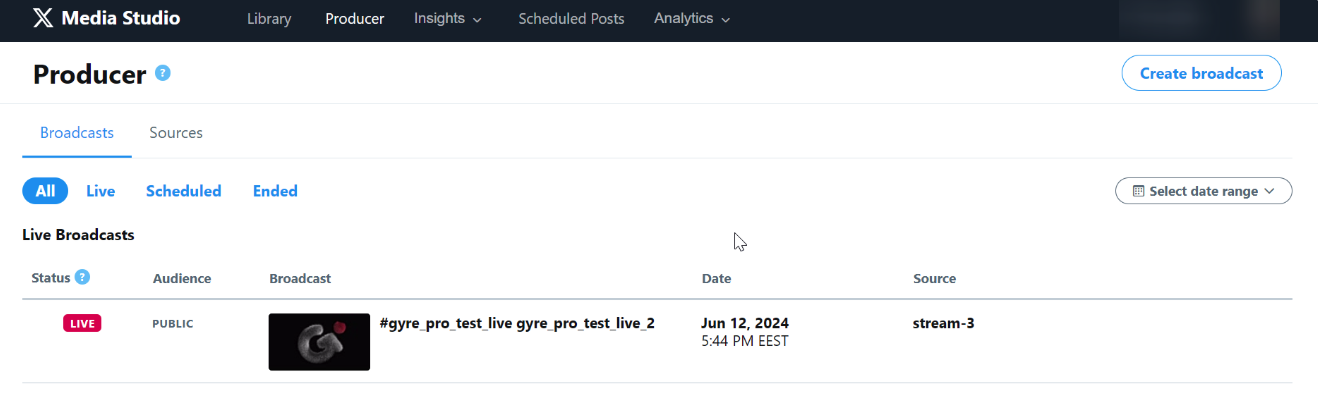
- Create a new source
- Enter the name and select RTMP type. Choose the EU region (Frankfurt) — the nearest and most optimal direction for the Gyre stream.
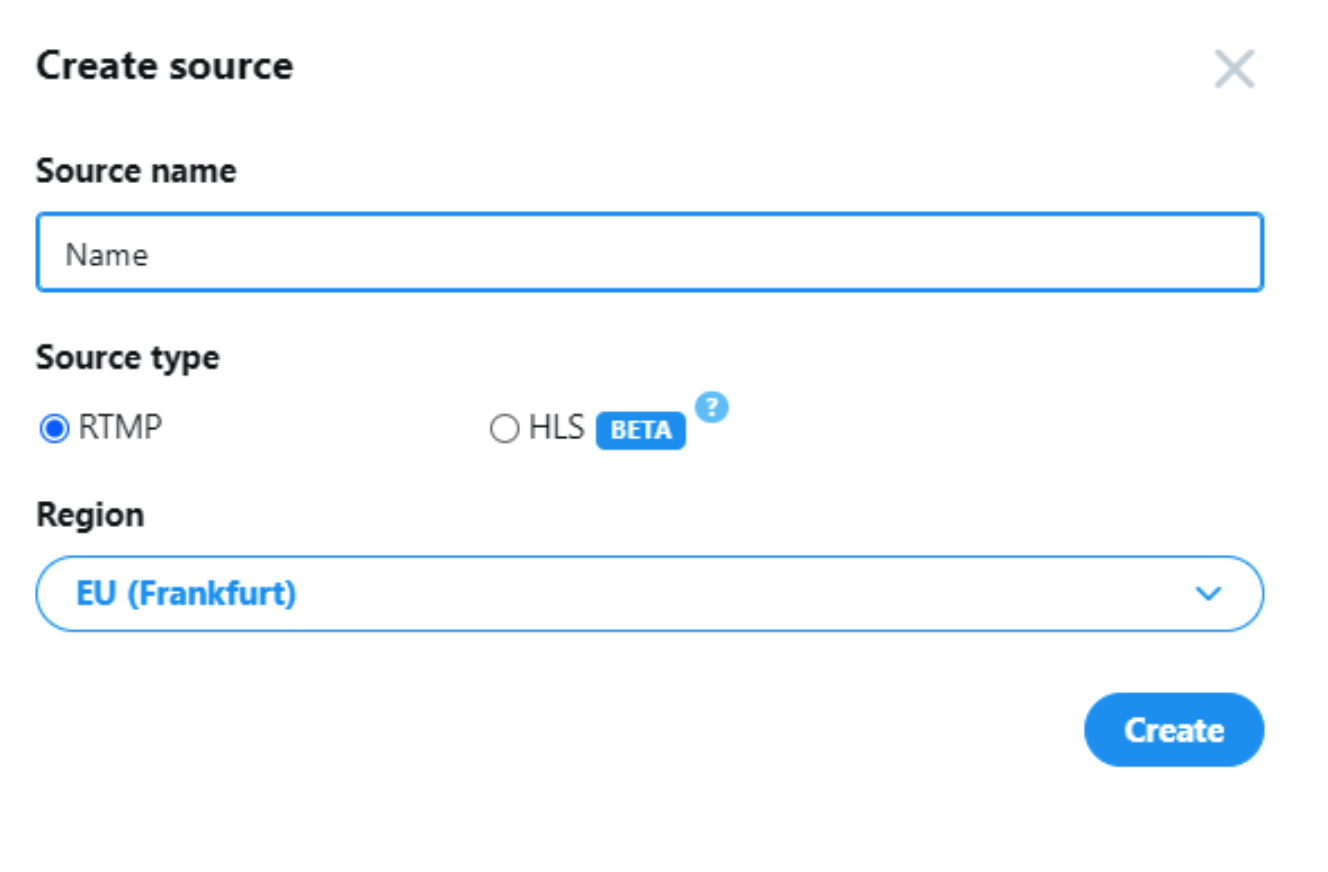
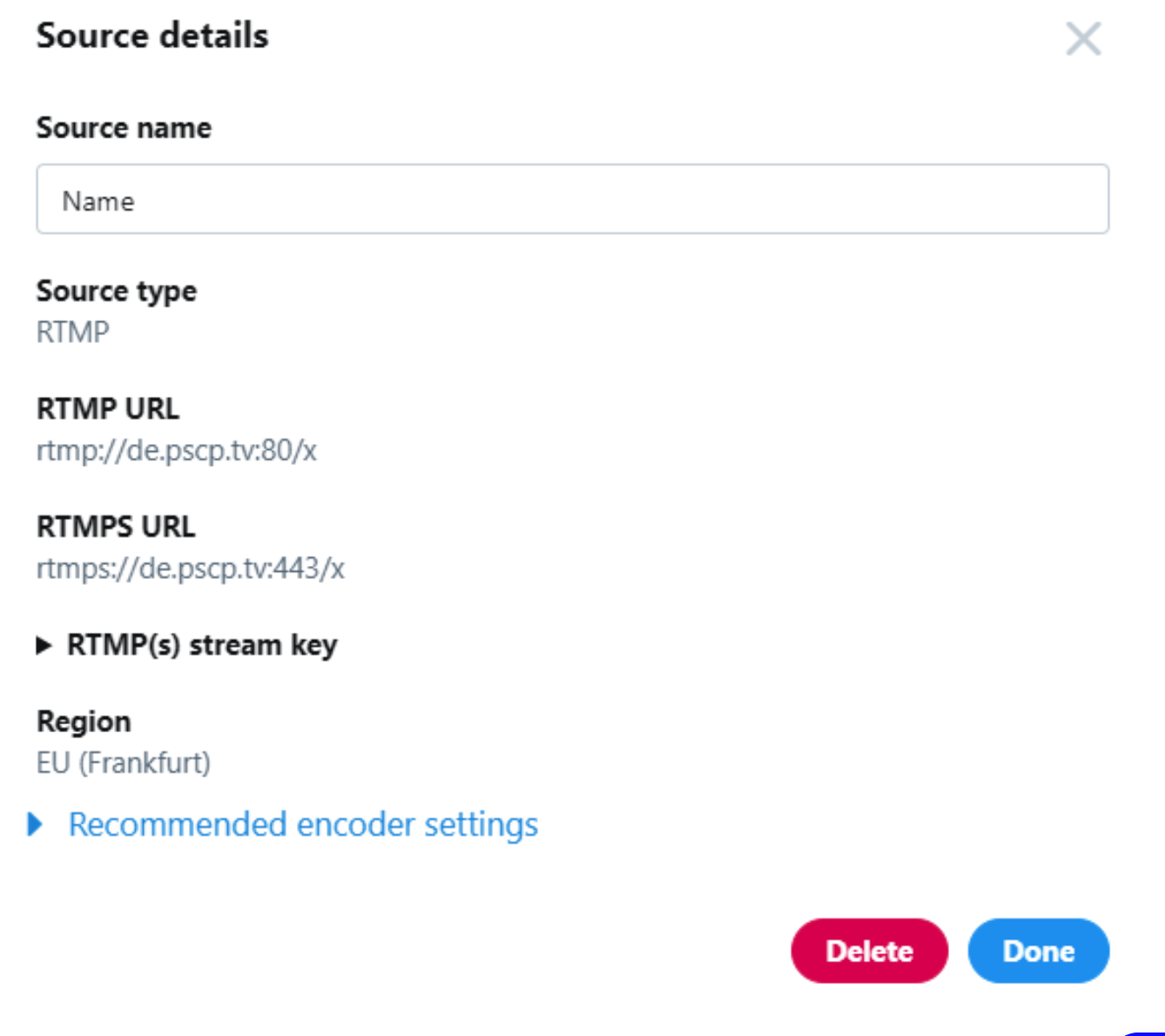
- Click Create and receive confirmation. Expand and copy the stream key in the source information window.
- Click Done.
- Additional broadcast settings on X
- You can set privacy and chat options, apply content restrictions, change the broadcast schedule, and review the recommended settings.
- Click Create Broadcast and close the settings window.
- Create a stream on Gyre
- Go to your personal account's Live Streams section and click the Add Stream button.
- In the settings window, enter the stream name, select X, and add the copied key and link.
- Click Next and select the desired files or playlists in the Video tab. Then, click Save & Close to save the settings.
- Ending the stream
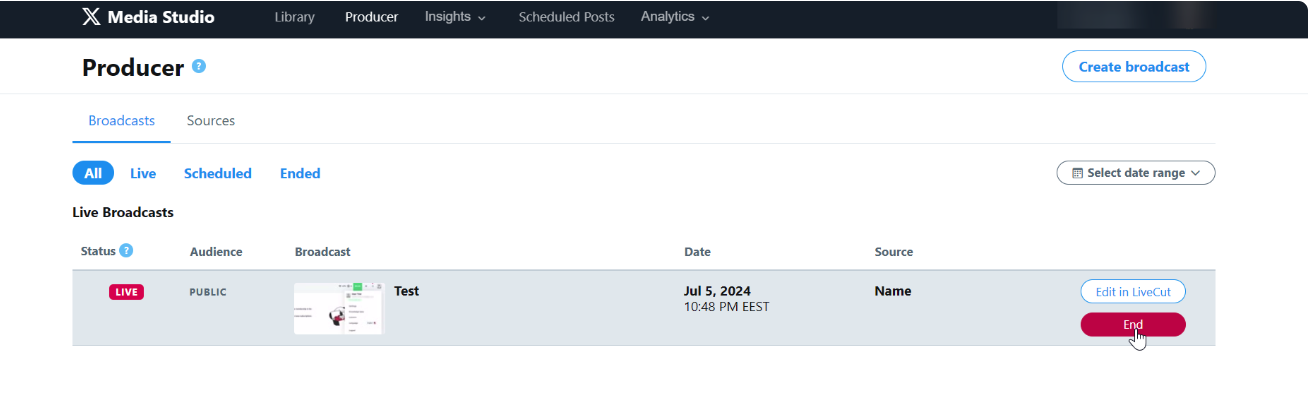
- Stop the stream in the Gyre account and return to Media Studio. Hover over the desired stream and click End. You can also end the broadcast in the settings window. If the broadcast stops receiving the video stream from Gyre, it will automatically end within 5 minutes.
-
- Important: Only link holders can access the stream after starting. You can always copy the link in the broadcast settings window. To make your broadcast searchable, click the Post button and publish it in the stream editor.
Scheduled Stream: You can schedule a stream by selecting Start Later and specifying the start, end date, and time. A scheduled 24/7 live stream on X can last up to 6 hours.
Real-time Streams have no time limits; X will save only 105 hours of airtime on the page.
Restrictions and Opportunities: The X platform allows the creation of up to 100 new sources. You can reuse or delete unnecessary ones to free up space in your account. Accordingly, you can simultaneously run up to 100 pre-recorded 24/7 live streams on one X account.
