To start 24/7 streaming on the KICK platform, you must create your channel and have a Gyre paid subscription. Then, follow these steps:
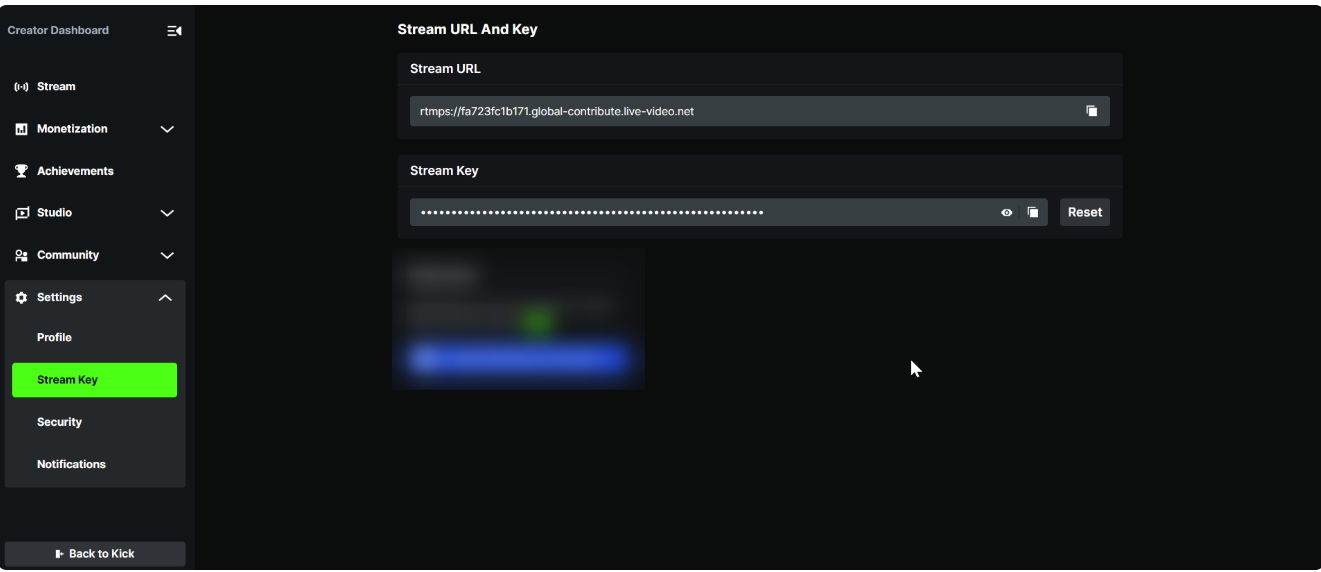
- Get the key on KICK
- Go to Settings — Stream Key and copy the data and RTMP link.
- Create a stream on Gyre
- Go to your personal account's Live Streams section and click the Add Stream button.
- In the settings window, enter the stream name, select the KICK platform, and add the copied key and link.
- Click Next and select the desired files or playlists in the Video tab. Then, click Save & Close to save the settings.
- Start the stream
- Set up the stream on KICK.
Enter the necessary data, set the content age restrictions, and start the stream. - Important: On KICK, you can run only one 24/7 pre-recorded live stream simultaneously, but its duration is unlimited.
- Set up the stream on KICK.
- Ending the stream
- Go to the Gyre account and stop the stream. It will automatically stop on the KICK platform. After conversion, KICK will save the file to your channel. You can view, delete, or share information about each video through the Studio — Vods menu.
