You can configure auto-ending only for active streams.
To schedule the end of a stream for a specific date and time:
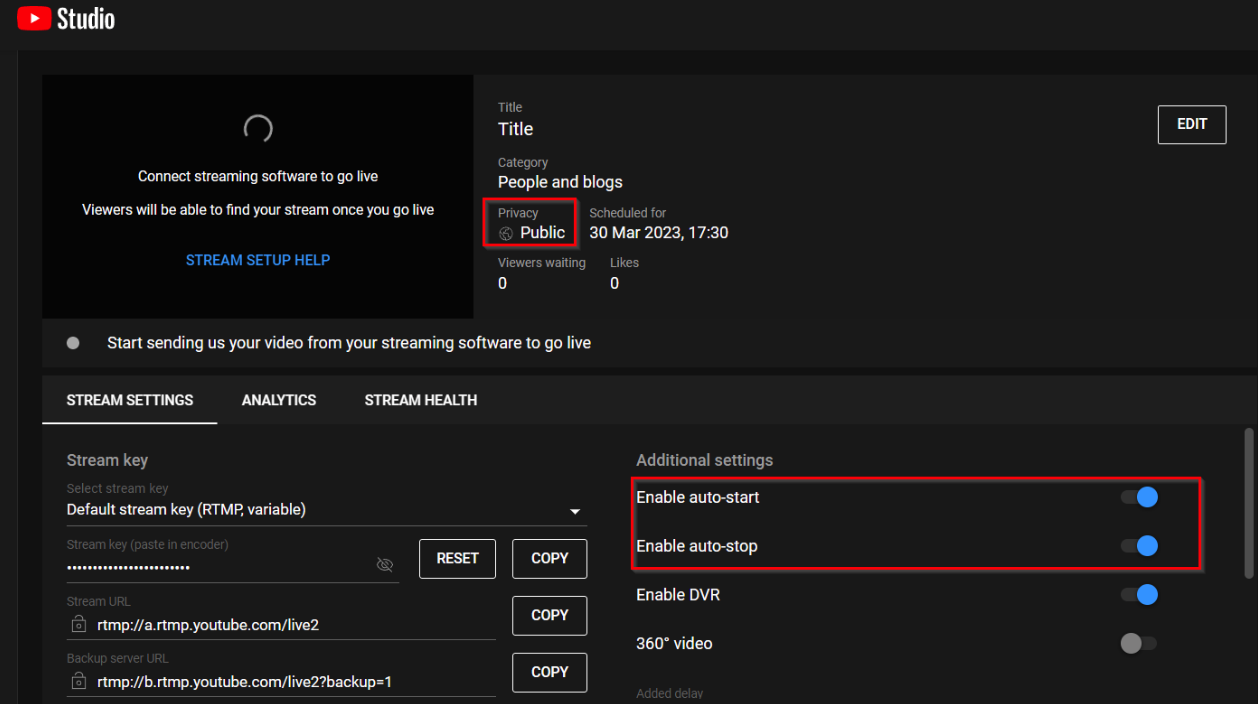
- Create a stream as usual on YouTube. Please note that the stream must be public and be sure to enable auto-start and auto-end.
- Create a stream as usual in the "Live Stream" section, and start it.
- Go to the "Streams Scheduler" section and click the "Schedule a stream" button.
- Select a pre-created stream from the “Live Stream” section in the new settings field.
- In the "Format" line, select “Set the stream end date.”
